
Emails aren't arriving
When a confirmation, quote or invoice doesn't turn up, it's usually one of a few things. Here's the order to check them in.
Check the address and the spam folder
Start with the obvious: was the email address entered correctly? A single typo is the most common reason a message seems to vanish. Then have the recipient check their spam and promotions folders — a confirmation or quote can land there, especially the first time you email someone. Open the customer record to confirm the address on file.
Where to find it
Customers → open customer → check email addressConfirm the event is switched on
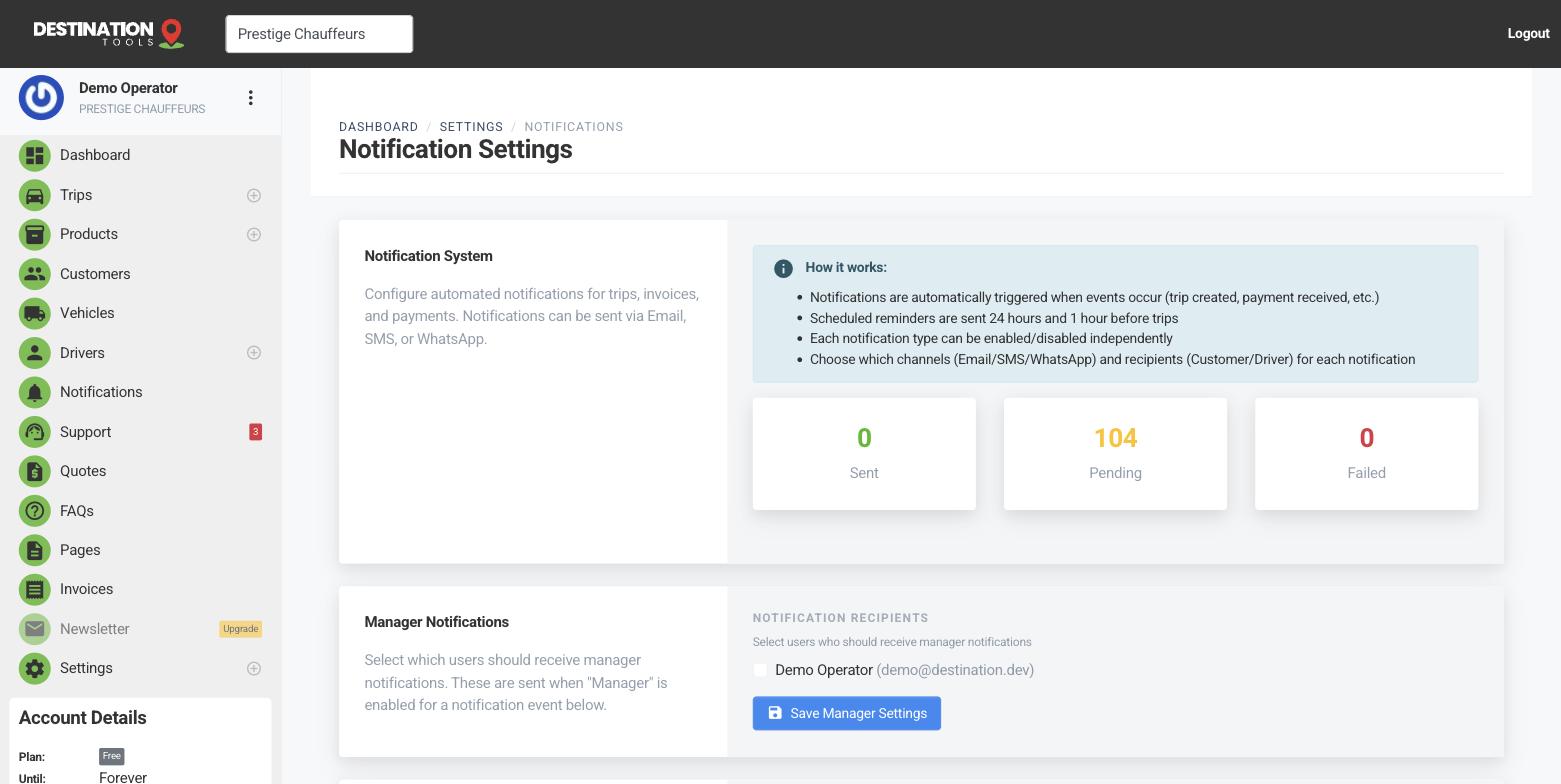
If a particular type of email never sends — say booking confirmations — check that event is enabled for the customer in Notification Settings. Send yourself a test notification for that event; if the test arrives but real ones don't, it points at the recipient's address or inbox rather than your setup. See Customer confirmation emails.
Where to find it
Settings → Notification Settings → event → Send testYour business details and sending domain
Emails carry your business name and contact details, so make sure your business details are complete. If you've set up a custom sending domain, confirm its records are in place — a half-finished domain setup is a classic reason messages get filtered or bounced by the recipient's provider.
Where to find it
Settings → Business Settings / Email Domain SettingsWhen it's consistent
If email consistently fails to land for everyone — not just one recipient — that's a deliverability issue worth raising with us rather than chasing folder by folder. Use Contact support and say which emails are affected (confirmations, quotes, invoices) and roughly when it started, so we can pin it down quickly.
Still need help?
Can't find what you're looking for? Send our support team a message and we'll reply by email.