
Stripe
Stripe links your own Stripe account so customers can pay for trips and invoices by card. Here's how the connection works and how to manage it.
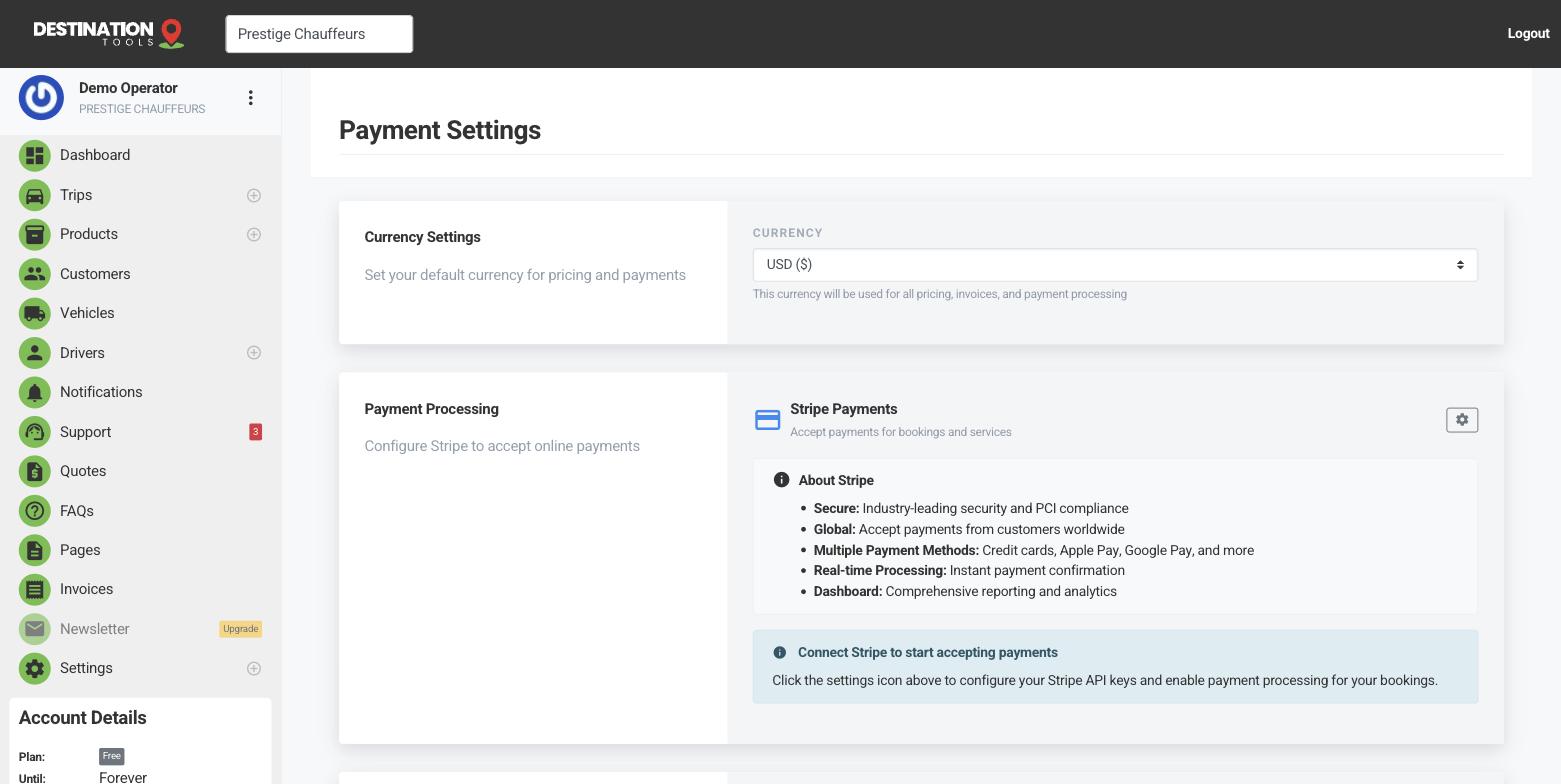
How Stripe links up
Open Settings → Payment Settings (also reachable from Settings → Integration Settings) and start the Stripe connection. You're taken to Stripe to sign in or create an account, then returned here once it's linked. It's your own Stripe account throughout — money is collected by Stripe and paid to your bank on your Stripe schedule.
Where to find it
Dashboard → Settings → Payment SettingsWhat connecting does
With Stripe connected, a pay-by-card option appears on your invoices and on your public booking page. When a customer pays, the card fee is tracked against that trip so your figures stay accurate. A €120 airport transfer paid by card shows you the takings and the fee side by side — no guessing at month end.
Where to find it
Invoices & booking page → Pay by cardSetting it up in full
This article is the overview of how Stripe fits together; for the step-by-step walk-through of the first connection, see Connect Stripe to take payments. Once you're live, decide how you want to be paid — full payment, a deposit or on the day — over in Deposits & balance payments.
Managing the connection
Review the connection, or disconnect it, from Settings → Payment Settings at any time. Disconnecting removes the pay-by-card option from new invoices and your booking page; invoices already paid are untouched. Reconnect whenever you need to.
Stripe isn't your only option
You can take card payments through Revolut instead, or record cash and bank transfers by hand. Pick whatever suits how your business already handles money — the full picture is in Payment providers & methods. If cards stop working, Payment problems walks through the checks.
Still need help?
Can't find what you're looking for? Send our support team a message and we'll reply by email.