
Payment providers & methods
Take money the way that suits your business — card online through Stripe or Revolut, and cash or bank transfer recorded by hand. You can do all three.
Card payments with Stripe or Revolut
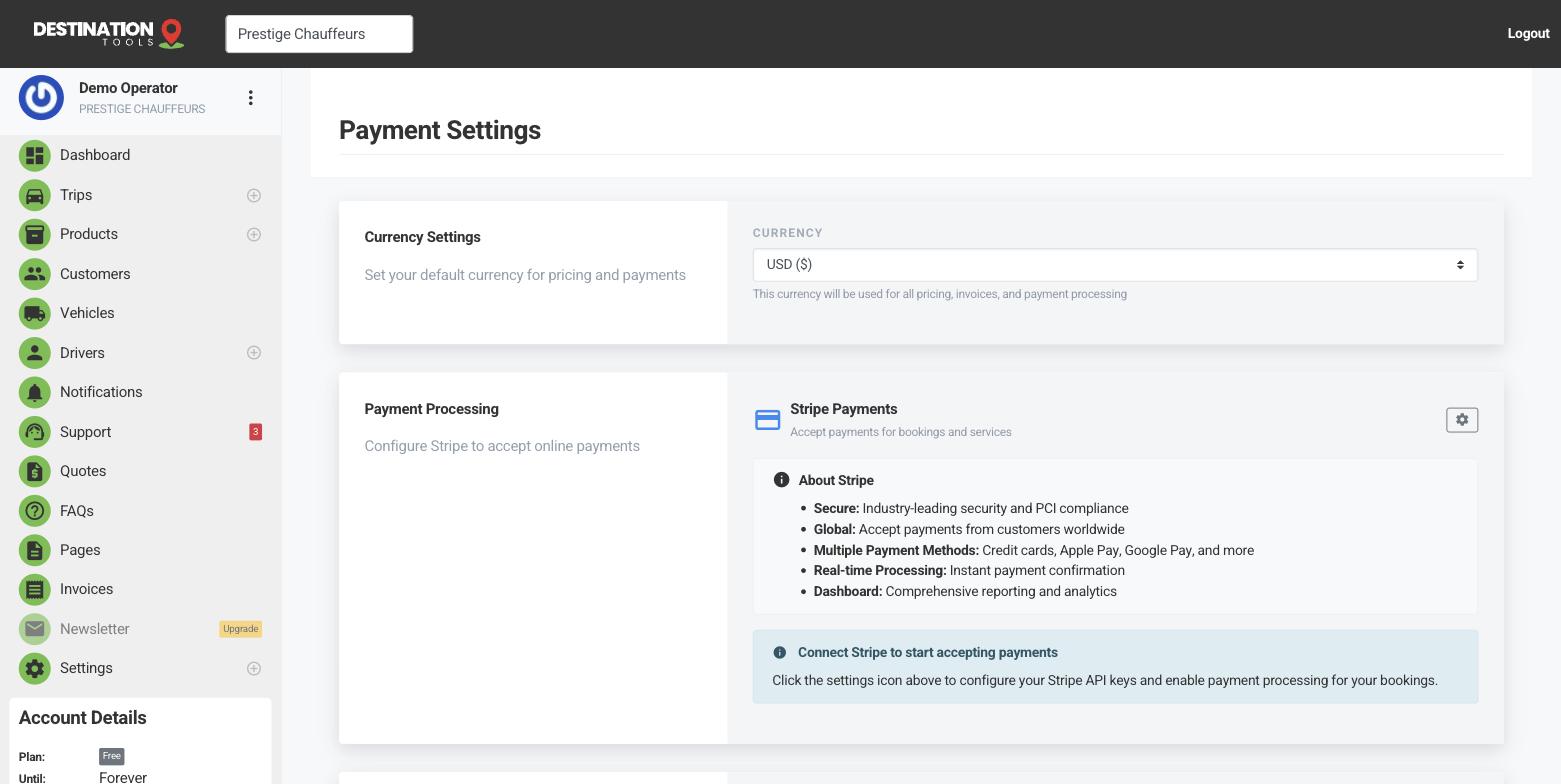
To accept cards, connect a provider in Settings → Payment Settings. Stripe and Revolut are both supported — you don't pick a single “default”, you simply set up whichever account you already use (or both). Once connected, a pay-by-card option appears on your invoices and your public booking page, and money flows to your account through that provider.
Where to find it
Dashboard → Settings → Payment SettingsCash and bank transfers
Plenty of chauffeur work is still settled in cash or by transfer, especially with account customers. You don't need a provider for that — just record the payment against the invoice with the method (cash or bank transfer) and it's accounted for. Card, cash and transfer all live side by side on your invoices.
Where to find it
Invoices → open an invoice → Record paymentSet your currency
On Payment Settings you also set the currency your prices and invoices use. Get this right at the outset — a Dublin operator running in euro, say — so every quote, booking-page fare and invoice reads in the money your customers actually pay in.
Where to find it
Payment Settings → CurrencyMix and match
Most operators connect a card provider for online bookings and invoices, and record cash for the jobs settled in person. There's no wrong combination — offer what fits your customers. To set each one up, see Connect Stripe, Revolut and Record a manual payment.
Still need help?
Can't find what you're looking for? Send our support team a message and we'll reply by email.