
Connect Stripe to take payments
Card payments run through Stripe. Connect your account once and customers can pay for trips and invoices by card.
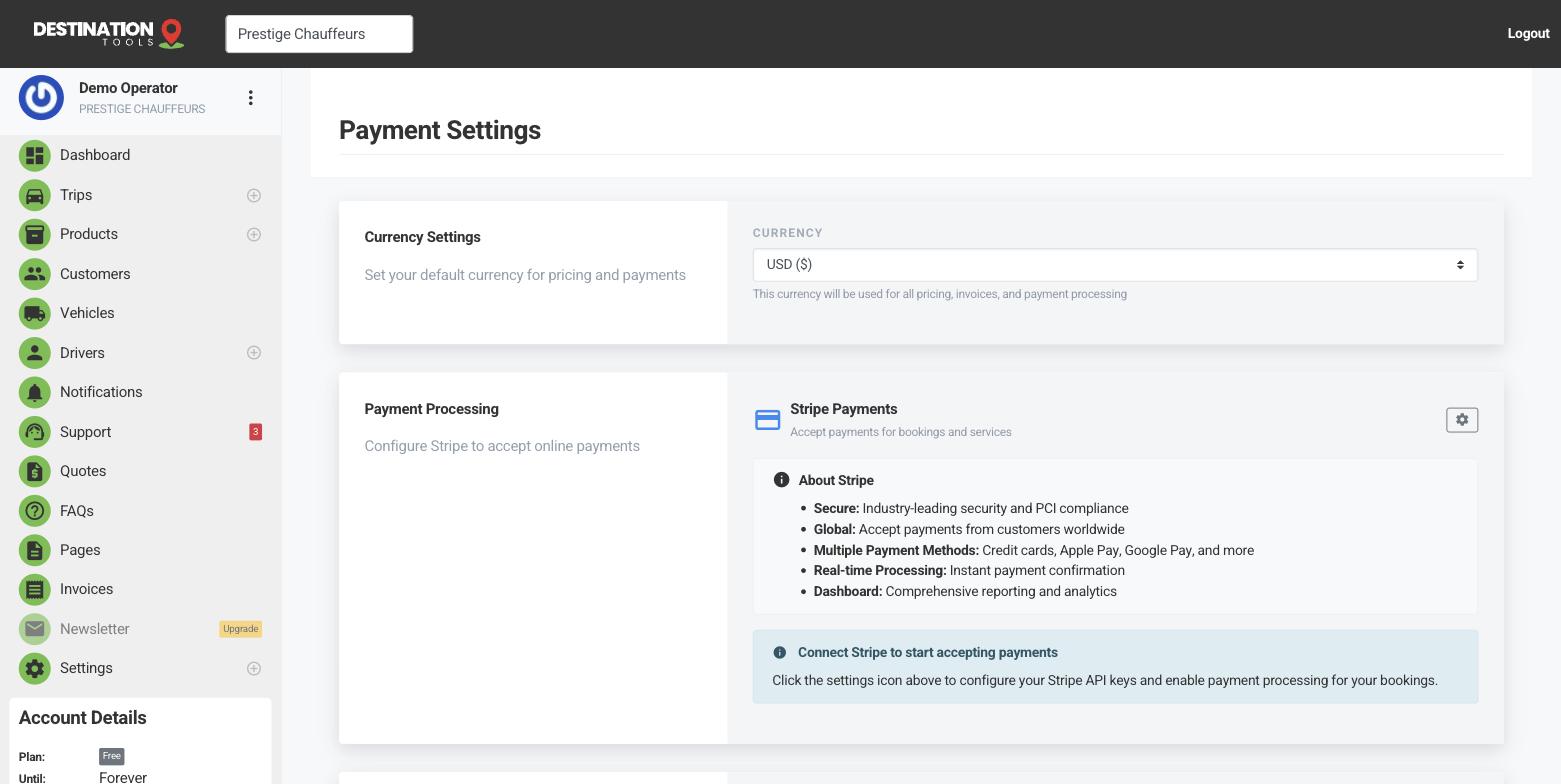
Connect your account
Go to Settings → Payment (also reachable from Settings → Integration) and start the Stripe connection. You'll be taken to Stripe to sign in or create an account, then returned here once it's linked. If you already have a Stripe account, use it — there's no need to create another.
Where to find it
Dashboard → Settings → PaymentWhat connecting does
Once Stripe is connected, a card-payment option appears on your invoices and on your public booking page. Money is collected by Stripe and paid out to your bank according to your Stripe settings. Card fees are accounted for on each trip so your figures stay accurate.
Where to find it
Invoices & booking page → Pay by cardStripe or Revolut
Stripe isn't your only option — you can connect Revolut instead, or record cash and bank-transfer payments manually. Pick whatever suits how your business already takes money. See Payment providers & methods.
After connecting
Set how you want to be paid — full payment, a deposit, or on the day — and your invoices and booking page will follow it. See Deposits & balance payments.
Still need help?
Can't find what you're looking for? Send our support team a message and we'll reply by email.