
Trip status: pending to completed
Every trip carries a status so you and your team always know where each job stands — from the moment it's booked to the drop-off.
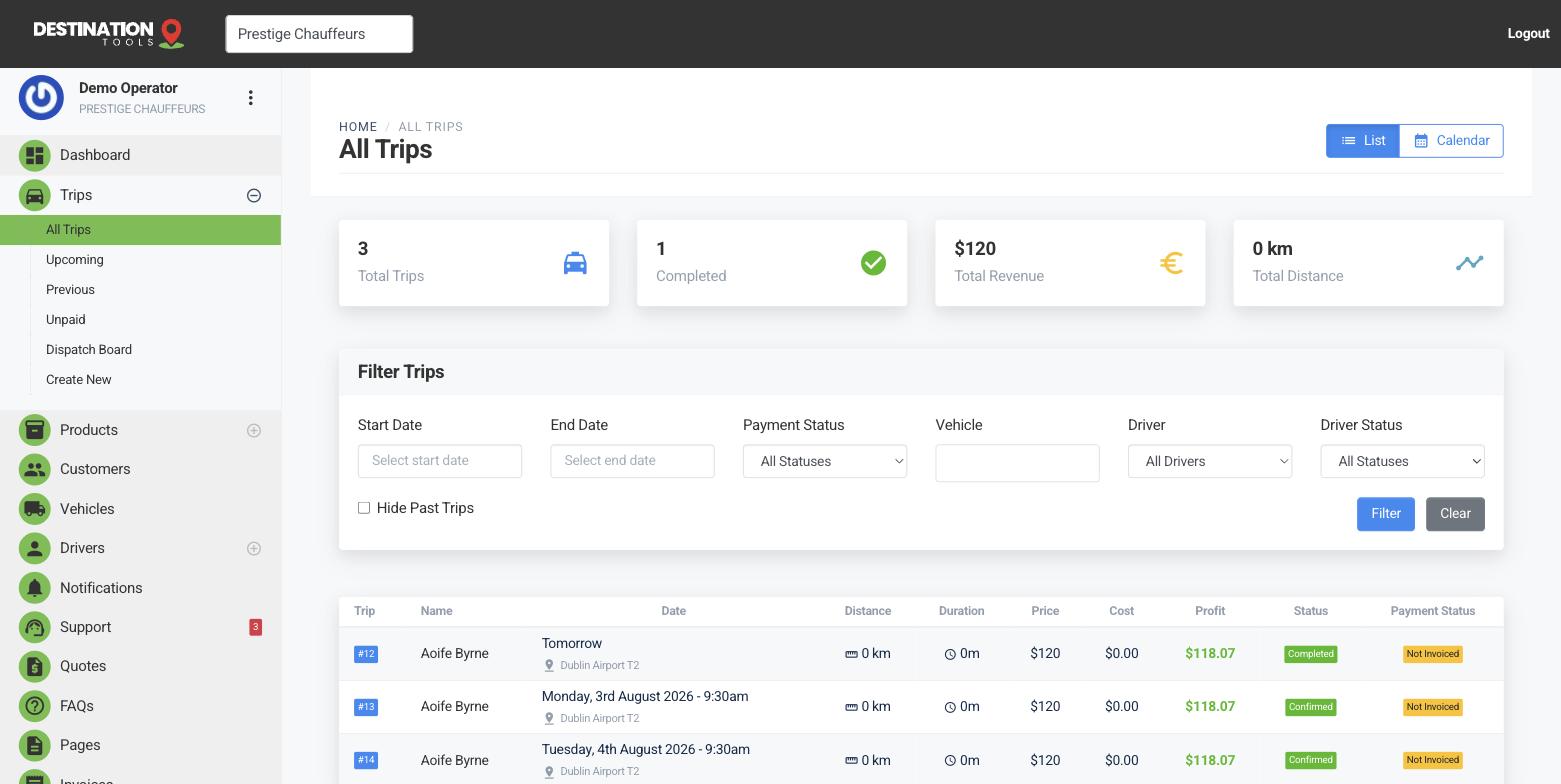
The stages a trip moves through
A trip starts pending when it's first booked. Mark it confirmed once it's locked in with a driver and vehicle; it becomes in progress while the driver is running it, and completed when the passenger is dropped. If a job falls through, set it to cancelled. At a glance the status tells everyone whether a trip still needs attention or is done and dusted.
Where to find it
Trips → open a trip → StatusStatus updates as work happens
You don't have to drive every change by hand. Once a driver opens their trip link and taps Start Trip, the job moves into progress; Complete Trip marks it done, with the times and locations recorded against the trip. That's what keeps your dispatch board honest without anyone updating it manually.
Where to find it
Driver trip link → Start Trip / Complete TripPayment status is separate
Alongside the trip status sits a payment status — pending, partial (a deposit paid, balance owing), paid or refunded. A trip can be completed but not yet paid, which is exactly why Trips → Unpaid exists: it's your list of finished jobs still waiting on money. See Deposits & balance payments.
Where to find it
Dashboard → Trips → UnpaidWhy it's worth keeping current
Accurate statuses are what let you run the day from a screen instead of a string of phone calls. You can see which of tomorrow's jobs are still pending a driver, which are underway, and which are complete and ready to invoice — the whole operation in one honest view.
Still need help?
Can't find what you're looking for? Send our support team a message and we'll reply by email.