
Passengers & luggage limits
Set the maximum passengers and large/small bag limits on each vehicle so no one is ever quoted a saloon for a family of six with a boot full of suitcases.
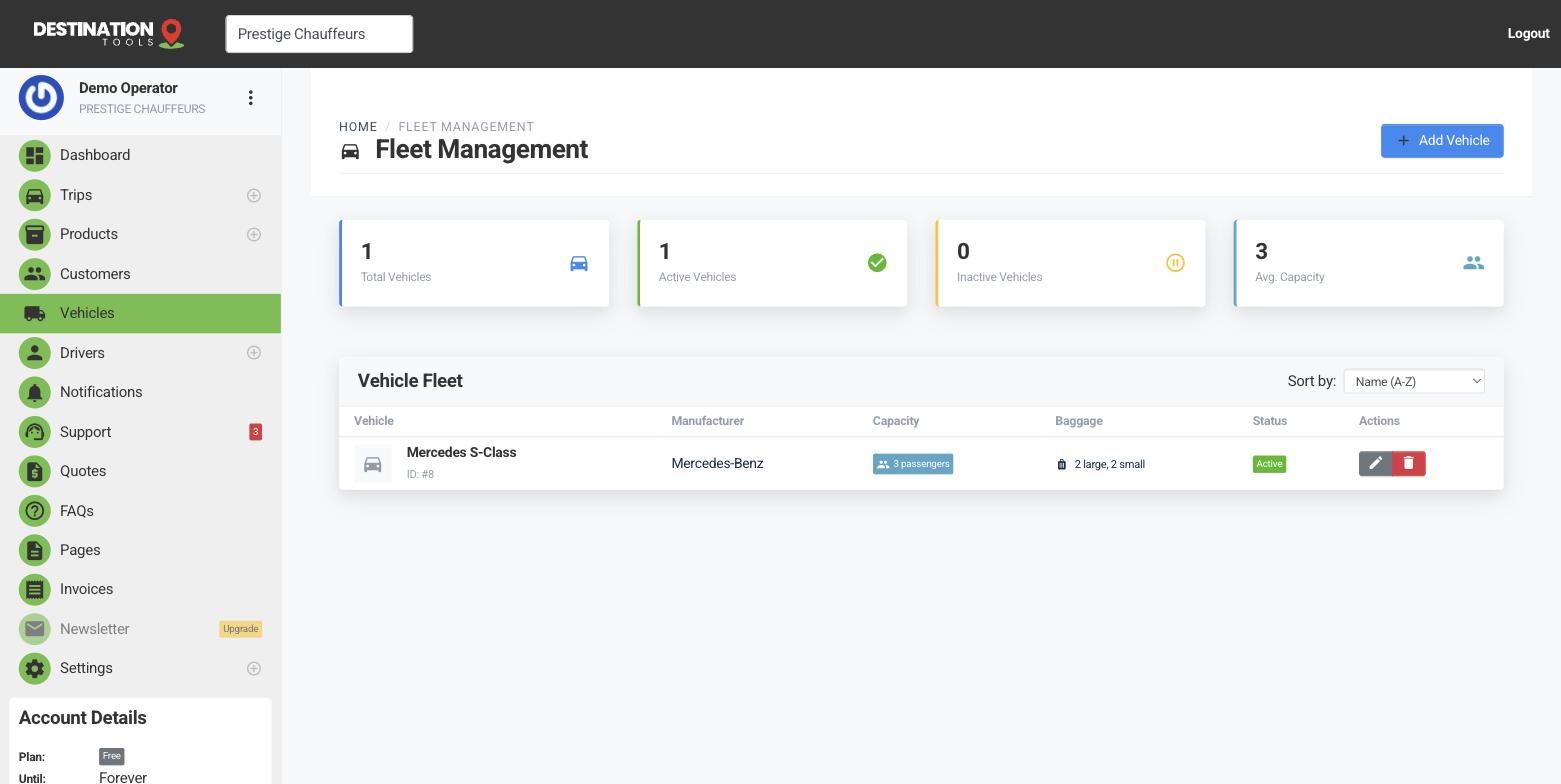
Set the limits
Every vehicle carries three capacity figures: the maximum number of passengers, the number of large bags, and the number of small bags. Set them to the real, comfortable limit — not the absolute squeeze — because these numbers decide which cars a job can use. A Mercedes S-Class might seat three in comfort with two large cases; your 8-seater van takes the airport party with all their luggage.
Where to find it
Dashboard → Cars → edit car → CapacityLarge bags vs small bags
Splitting luggage into large and small matters most for airport work, where the difference between a hold suitcase and a cabin bag decides whether the boot closes. Count a large bag as a full-size case and a small bag as a holdall or cabin case, and set the two limits per vehicle. It's the detail that turns a rough guess into a quote you can stand behind.
Where to find it
Add car → Passengers, large bags, small bagsWhere the limits apply
Capacity is used across the whole app. On the public booking page a customer entering their passenger and luggage count is only offered vehicles that genuinely fit. In a quote and on a trip, the limits keep your team honest when they pick the car. And on the dispatch board you're never left swapping a saloon for a van at the kerbside because the bags didn't fit.
Capacity and pricing work together
Capacity decides which vehicle can take a job; the vehicle's own rates decide what it costs. Because the customer is matched to a car that fits and that car carries its own base fare and per-km rate, the price follows automatically. Set your capacity here, then set the numbers in Vehicle pricing & per-km rates.
Special requirements
Capacity covers the everyday party-plus-bags maths. Anything beyond it — a child seat, a wheelchair, an oversized instrument, a name board at arrivals — belongs in the trip's notes and special-requirements field so the driver is prepared before they set off. That way the vehicle fits the group and the car is ready for the specifics.
Still need help?
Can't find what you're looking for? Send our support team a message and we'll reply by email.