
Assign & reassign drivers
The dispatch board is built for one thing above all: putting the right driver on every trip, fast, and moving jobs the moment plans change.
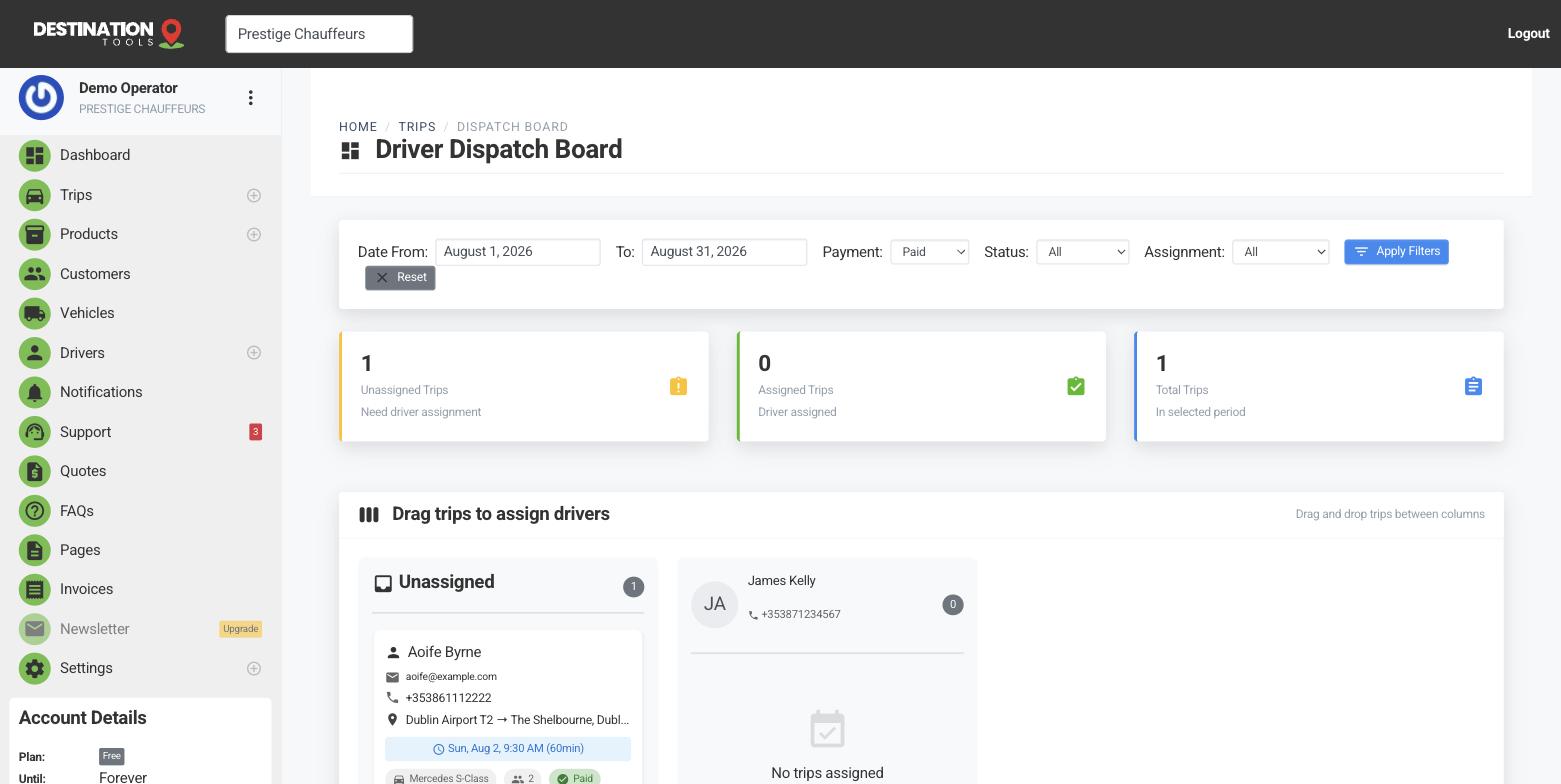
Drag a trip onto a driver
Open Dispatch. Unassigned trips sit on one side, your drivers on the other. Drag a trip onto a driver and the job is theirs — no forms, no menus. Working through a full day's sheet, you can cover job after job in seconds, which is exactly what you want at 6am when the airport runs are stacking up.
Where to find it
Dashboard → Dispatch → drag trip onto driverMove a job when plans change
A driver runs late, a car goes off the road, a VIP job needs your best chauffeur — drag the trip onto someone else and it moves across instantly. It's the same assignment you'd make on the trip screen; the board just lets you re-plan the whole day at a glance rather than opening jobs one by one.
Where to find it
Dispatch → drag assigned trip → drop on another driverReassigning is a clean handover
Every reassignment is watertight. The moment you move a trip, the previous driver's trip link stops working and the new driver gets their own fresh link — so an old link that's been forwarded around can never open the job, and there's never any doubt about who's actually doing it. Once the driver's set, send them the job.
Still need help?
Can't find what you're looking for? Send our support team a message and we'll reply by email.